
-
LatestThe best Vacuum cleaner of 2026
-
 Bosch Flexxo Serie 4 BBH3ALL28 Handy cordless vacuum for quick everyday home cleanups
-
 Rowenta X-Clean 10 GZ7540 Cordless cleaner vacuums and washes hard floors simultaneously.
-
 Dreame Z40 Station Powerful cordless cleaning with convenient hands-free dust emptying.
-
 Dreame H15 Pro Cordless cleaner tackles spills and debris on floors
-
 Dreame H14 Pro Cordless wet-dry floor cleaning with hot-water self-cleaning
-
 Dreame Z20 Powerful cordless cleaning, versatile tools, and extended runtime
-
-
LatestThe best Vacuum cleaner of 2026
-
 Miele Guard L1 AllFloor Parquet Premium bagged canister vacuum for mixed flooring.
-
 Miele Guard S1 Compact bagged vacuum for dependable everyday home cleaning
-
 Rowenta Silence Force RO7740 Quiet, versatile bagged vacuum for everyday whole-home cleaning.
-
 AEG AB51C2SW 5000 Clean Practical bagged vacuum for everyday floors and carpets.
-
 Nilfisk One Allergy Compact bagged vacuum with HEPA 14 filtration for cleaner homes.
-
 Inventum ST306RZA Practical bagged vacuum for straightforward everyday home cleaning
-
-
LatestThe best Vacuum cleaner of 2026
-
 Philips 2000 Series FC8243/09 Lightweight bagged vacuum for simple everyday floor cleaning.
-
 Philips 2000 Series XB2125/09 Compact bagless vacuum for everyday hard-floor cleaning.
-
 Bosch BGC21POW1 Practical bagless cylinder vacuum for everyday mixed-floor cleaning
-
 Bosch BGC05AAA1 Serie 2 Compact bagless vacuum for everyday cleaning in small homes.
-
 AEG AL61C2OG Clean 6000 Practical bagless cylinder vacuum for everyday household floors.
-
 BOSCH BGC21HYG1 Series 4 Compact bagless vacuum with hygienic filtration for homes
-
-
LatestThe best Vacuum cleaner of 2026
-
 Shark Rotator Pet Pro LA555 Flexible corded upright for floors, stairs, and upholstery
-
 Shark ZU62 Navigator Zero-M Pet-friendly upright with tangle-resistant brushroll, spacious dust cup.
-
 Shark NV501 Rotator Professional Lift-Away Versatile upright with detachable pod and HEPA filtration
-
 Shark ZU561 Navigator Lift-Away Speed Versatile corded vacuum for floors, stairs, and pets.
-
 Shark ZU503AMZ Navigator Lift-Away Versatile corded upright tackles pet hair, carpets, and stairs.
-
-
LatestThe best Vacuum cleaner of 2026
-
 DeWALT D25303DH-XJ Tool-mounted extractor keeps masonry drilling cleaner and faster.
-
 DeWalt DXV20P Wet and Dry High-capacity vacuum for garage, workshop, spill cleanup.
-
 Makita VC4210L Large-capacity workshop vacuum with automatic filter cleaning.
-
 Nilfisk Multi II 30 T Powerful wet-and-dry workshop vacuum for DIY messes.
-
 Nilfisk Multi II 22 T Versatile wet-and-dry vacuum for home workshops and DIY.
-
 Nilfisk Buddy II 18 Compact wet-and-dry cleanup for home, garage, and DIY.
-
-
LatestThe best Robot vacuum cleaner of 2026
-
 Dreame Matrix 10 Ultra Smart vacuum with advanced navigation and mopping features.
-
 Eufy Omni E25 Compact robot vacuum with strong suction and mopping.
-
 Philips HomeRun 5000 XU5100/10 Smart, efficient cleaning with advanced navigation technology.
-
 Eureka J15 Pro Powerful vacuuming, smart mopping, and hands-off dock care.
-
 Ecovacs Deebot T50 OMNI Slim, powerful cleaner with hands-off vacuuming and mopping.
-
 Ecovacs Deebot X8 PRO OMNI Premium vacuum-mop with self-rinsing roller and automated dock
-
-
LatestThe best Robot vacuum cleaner of 2026
-
 Blaupunkt Bluebot Xboost BPK-VCBB1XB Affordable robot vacuum-mop for everyday hard-floor upkeep.
-
 Shark AV911S EZ Self-emptying robot vacuum simplifies everyday floor maintenance.
-
 Shark AV753 ION Simple vacuum for everyday dust and pet hair.
-
 iRobot Roomba J7 Smart vacuum dodges clutter, cables, and pet messes.
-
 Eufy BoostIQ RoboVac 11S MAX Slim, affordable vacuum for everyday floor cleaning.
-
 Shark AI Ultra Scheduled, self-emptying floor care for everyday pet hair.
-
-
LatestThe best Hand vac of 2026
-
 BLACK+DECKER BHHV520JF-QW Cordless vacuum for quick home and car cleanups
-
 Philips MiniVac FC6148/01 Compact cleaner for quick crumbs and car touch-ups
-
 BLACK+DECKER DVA325JP07-QW Cordless vacuum for quick pet-hair and crumb cleanups
-
 Shark WV200 Wandvac Lightweight handheld vacuum for quick everyday messes.
-
 BLACK+DECKER PV1820L-QW Pivoting cordless hand vac for quick, awkward-spot cleanups.
-
 Rowenta X-Touch AC9736 Compact cordless vacuum for quick everyday messes.
-
-
LatestThe best Cleaner of 2026
-
 Kärcher SE 6 Signature Line Deep-cleans carpets and upholstery with versatile spray extraction.
-
 BLACK+DECKER 1500W Steam-mop Quick, detergent-free cleaning for compatible sealed hard floors.
-
 Shark StainStriker PX200EUT Portable spot cleaner tackles spills on carpets and upholstery.
-
 Kärcher SC 1 EasyFix Compact steam cleaner for quick, chemical-free home touch-ups.
-
 Kärcher SV7 Steam-clean and vacuum hard floors in one pass.
-
 Kärcher SC 3 EasyFix Plus Fast-heating steam cleaning for floors and household details.
-
-
LatestThe best Cleaner of 2026
-
 Nilfisk C 110.7-5 X-TRA Home Compact pressure washer for everyday outdoor cleaning tasks.
-
 Kärcher K7 Premium Power Control Heavy-duty washer for large patios and driveways
-
 Nilfisk Excellent 180-12 Car Powerful home washer for cars, patios, and grime
-
 Kärcher K3 Premium Power Control Compact washer for cars, furniture, and small patios.
-
 Kärcher K2 Power Control Compact, easy-to-use washer for cars, bikes, and patios
-
 Kärcher K5 Premium Power Control Versatile washer tackles patios, cars, and stubborn grime.
-
Dreame L20 Ultra review
Review the Dreame L20 Ultra robot vacuum and mop, with 7,000Pa suction, automated pad washing, carpet-aware cleaning, smart navigation and key drawbacks.
check best price


 2024-07-22
- By Milou Heggenveen
Summary / TL;DR

The Dreame L20 Ultra combines a 7,000Pa robot vacuum with rotating mop pads and a dock that empties dust, washes and dries the pads, and refills the water tank. It offers room mapping, scheduling, carpet-aware mop lifting and obstacle detection, making it suited to homes with hard floors, rugs and regular cleaning needs. Vacuuming is effective for everyday debris and pet hair, though brushes may need occasional cleaning and thick carpets still benefit from a deeper vacuum. Navigation can miss small or awkwardly placed objects. The large dock requires considerable space, and its tanks, washboard and consumables need periodic attention. Its premium price is easiest to justify for households that will regularly use both vacuuming and mopping features.
If you like this review, you might also like our review on the Dreame Matrix 10 Ultra or Dreame X50 Ultra or Dreame X40 Ultra Complete.
Where to buy
 Best offers of the Dreame L20 Ultra at Amazon.com
Want to help us grow? When you purchase items through the above links we receive a small commission.
Introduction
The Dreame L20 Ultra is a premium robot vacuum and mop designed to take more chores off your hands than a basic self-emptying model. Its headline specs include 7,000Pa suction and a multifunction dock that can empty dust, wash and dry the mop pads, and refill the robot’s water tank. That makes it an ambitious option for homes with a mix of hard floors and rugs, especially if you’d rather schedule regular cleaning than remember to run it yourself.
Its appeal is practical: a robot vacuum and mop can handle everyday crumbs in the kitchen, then mop the hard floor without you swapping attachments mid-clean. The trade-off is that the large dock needs a proper parking spot, and all those automated features come at a premium price. In this review, I look at whether the L20 Ultra’s extra convenience makes sense in everyday use—not just on a spec sheet.
Related reviews
-

-

-
 Philips HomeRun 5000 XU5100/10Robot vacuum cleaners
What's in the Box
The Dreame L20 Ultra arrives with the main pieces needed to get started, plus a few useful spares. Check the packaging before tossing it: small parts such as the side brush and mop pads can be tucked into the dock’s packaging rather than sitting beside the robot.
| In the box | What it’s for |
|---|---|
| Robot vacuum | The cleaning unit, with its main brush and dustbin fitted. |
| Multifunction dock and ramp extension | The charging and maintenance station, with an extension to help the robot roll onto the dock. |
| Two mop pads | Reusable pads for the robot’s rotating mop assemblies. |
| Side brush | Fits to the robot and sweeps debris in from edges and corners. |
| Dust bags, cleaning tool, cleaning solution, and documentation | Starter supplies for dust collection, maintenance, floor cleaning, and setup instructions. |
| Power cable | For connecting the dock to power. |
The included starter dust bags are handy, but they aren’t a long-term supply, so it’s worth checking the price of replacements before you run out. Box contents can vary slightly by country or retailer; confirm the listing if you’re buying a regional version.
Design and Build Quality
The Dreame L20 Ultra has a broad, low-profile body with a 350 mm diameter and a height of about 103.8 mm. That height is worth checking against your furniture: it can slip under many sofas and cabinets, but a low bed frame may stop it at the front edge. The raised sensor turret is the part most likely to catch on tight clearance.
Robot and dock dimensions
| Robot | 350 mm wide × 103.8 mm high |
|---|---|
| Base station | 606.5 mm wide × 426 mm deep × 499 mm high |
The robot’s smooth plastic shell keeps the design tidy, while the front bumper has a practical give if it nudges a chair leg. The top panel lifts to provide access to parts that need occasional attention, rather than making routine maintenance feel like a disassembly job. Its white finish looks clean beside pale furniture, though it can show scuffs and dust more readily than a darker model.
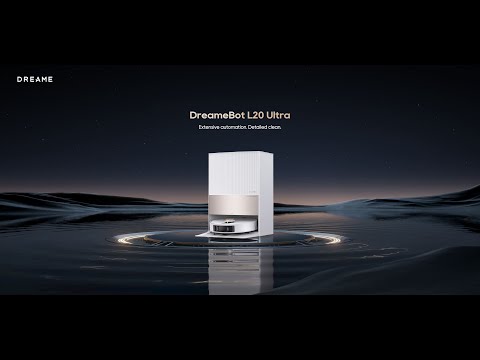
The all-in-one dock is the bigger design consideration. At about 50 cm tall and nearly 61 cm wide, it needs a proper spot rather than a narrow gap beside a cabinet. Its upright, boxy shape makes sensible use of floor space, but the water tanks sit high enough that shorter users may need to lift them down carefully when full. Check the dock’s full footprint before buying, especially in a small laundry room or apartment entryway.
Setup and App Experience
Getting the Dreame L20 Ultra connected is mostly a guided process in the Dreamehome app. Add the robot, scan its QR code and follow the prompts to join your home Wi-Fi. It needs a 2.4GHz Wi-Fi network, so homes set up with separate 2.4GHz and 5GHz network names should choose the right one during pairing.
The first mapping run gives you a useful starting layout without requiring a full cleaning cycle. Once the map appears, you can split or merge rooms, rename them and set cleaning order. That makes practical routines easy to build: send the vacuum through the kitchen after breakfast, for example, without asking it to clean the bedrooms too. You can also save maps for different floors and add virtual boundaries or no-go zones in the app.
Everyday controls and scheduling
The app puts room selection, schedules and cleaning preferences in one place. You can set recurring runs for particular rooms, which is handy if the dining area needs daily attention but the spare room only needs a weekly pass. The map editor is fairly approachable, though correcting an awkward room division can take a little trial and error with the on-screen controls.
Voice control is available through Amazon Alexa and Google Assistant for basic commands. The app remains the better option for detailed jobs, since it shows the map and gives you more control over where and when the robot cleans. Overall, setup is straightforward, but the initial Wi-Fi pairing and map adjustments may take a few extra minutes in a home with a complicated layout.
Vacuuming Performance
With 7,000Pa of suction, the Dreame L20 Ultra has plenty of pull for everyday dust, crumbs and pet hair on hard floors. Its main brush works across both hard flooring and carpets, while the side brush sweeps debris out from along skirting boards and into the vacuum’s path. In a kitchen, that’s useful for picking up the dry cereal crumbs that collect under the edge of a table; fine dust and grit are also less likely to linger in floorboard gaps.
How it handles carpets and pet hair
On carpet, the robot can increase suction automatically, helping lift dirt trapped between the fibres rather than just skimming the surface. This is handy for routine cleaning of low- and medium-pile rugs, though it won’t replace a strong upright vacuum for a thick carpet that needs a deep clean. You can also set carpet-specific cleaning preferences in the app, such as giving rugs extra passes or having the robot lift or remove its mops on carpet.
For pet owners, the brush does a solid job of collecting loose hair, but longer strands can still wind around the brush and need removing now and then. That’s a fairly common maintenance chore with robot vacuums, especially in homes with shedding pets. The large dust bag in the dock means you don’t have to empty the robot after every run, but it doesn’t change how often you’ll need to check the brush.
| Cleaning situation | What to expect |
|---|---|
| Hard floors | Strong pickup of dust, crumbs and everyday grit |
| Low- or medium-pile rugs | Automatic suction increase helps with routine dirt |
| Long pet hair | Good everyday pickup; occasional brush cleaning may be needed |
| Thick carpet | Useful for maintenance, but not a full replacement for deep vacuuming |
Overall, the L20 Ultra is a capable robot vacuum for mixed flooring. Its suction gives it a useful edge for carpets and pet hair, while its day-to-day cleaning is well suited to keeping hard floors tidy between deeper cleans.
Mopping and Docking Features
The Dreame L20 Ultra uses two spinning mop pads rather than dragging a simple damp cloth behind it. They scrub hard floors while the robot moves, and one pad can extend out from the body to reach closer to skirting boards and into corners. That helps with the strip of dust that often survives a mop pass along kitchen cabinets, though the rotating pads still can’t get right into every tight corner.
Carpets get a useful bit of protection: the mop pads lift by up to 10.5 mm when the robot detects carpet. For a home with thicker rugs or carpeted rooms, you can set it to leave the mop pads at the dock before vacuuming those areas. That avoids carrying damp pads across a rug, but it does mean the robot needs to return to the base and leave its pads behind as part of the cleaning routine.
What the all-in-one dock handles
The base station takes care of much of the mop upkeep. It washes the pads, refills the robot’s onboard water tank, and dries the pads with warm air after cleaning. It also empties the robot’s dust bin into a disposable bag, so there’s less hands-on work between runs. The dock has separate clean- and dirty-water tanks, plus an automatic detergent dispenser.
- Mop washing: The dock rinses the pads during and after cleaning; you still need to empty the dirty-water tank and refill the clean-water tank.
- Warm-air drying: Helps prevent pads staying wet and developing an unpleasant smell between runs.
- Automatic detergent dispensing: Adds cleaning solution during mop maintenance, rather than requiring you to pour it into the robot’s water tank.
- Dust collection: The dock empties the robot into a dust bag, which eventually needs replacing.
In everyday use, this setup suits a routine where the robot mops the kitchen after dinner or handles a larger hard-floor clean while you’re out. The pads come back to the dock for washing instead of spreading yesterday’s grime across the next room. It isn’t maintenance-free, though: the tanks need attention, and the washboard area can collect residue, so an occasional rinse and wipe keeps the station fresher.
Navigation and Obstacle Avoidance
The Dreame L20 Ultra combines LiDAR mapping with an RGB camera and 3D structured light to map rooms and spot objects on the floor.
How it handles clutter
In a tidy room, it generally traces a sensible route around furniture rather than nudging every chair leg as it goes. Leave a charging cable stretched across the floor, though, and it may steer clear of it rather than risk pulling it along. That’s handy, but it also means small items left near a wall can be missed. Thin cords and objects tucked partly under furniture are harder to detect, so clearing loose cables before a run is still a good idea.
Its AI obstacle avoidance is useful, not foolproof. Recognition can vary with an object’s size, shape and position; a sock in open space is an easier target than a dark, flat item pressed against a dark floor. Pet-waste detection is a welcome safeguard for homes with animals, but I wouldn’t treat any robot vacuum’s camera as a reason to leave messes for it to find.
Mapping and room coverage
LiDAR helps the robot build a map and follow orderly cleaning paths, while the app lets you set room boundaries and no-go zones. Those virtual limits are useful around a pet’s food bowls or a tangle of wires beside a desk. The map also makes it easier to send the robot to one specific room without having it roam through the whole house first.
Overall, the L20 Ultra offers capable robot vacuum navigation for cluttered homes, with better object awareness than basic bump-and-turn models. Just pick up very small or awkwardly placed items when you can; its sensors reduce the chance of a collision, but they can’t make a cluttered floor risk-free.
Competitor comparison
The Dreame L20 Ultra sits between premium robot vacuums with elaborate docks and cheaper all-in-one models. Its strongest case is the balance: it offers advanced edge mopping and a full-service dock without relying on a single headline spec, such as maximum suction, to stand out.
| Robot vacuum | What it does better | Where the L20 Ultra has an edge |
|---|---|---|
| Roborock S8 MaxV Ultra | Higher advertised suction at 10,000 Pa, plus a side brush designed to reach into corners. | The L20 Ultra’s removable mop pads are handy in homes with rugs: it can leave them at the dock rather than carry damp pads across carpeted rooms. |
| Ecovacs Deebot X2 Omni | Its square-edged shape is designed to get closer to room corners, and it has 8,000 Pa of advertised suction. | The L20 Ultra takes a different approach to edges, extending one of its spinning mop pads along walls and furniture. |
| Eufy X10 Pro Omni | It offers 8,000 Pa suction and is often positioned below the top-tier models on price. | The L20 Ultra has more flexibility around carpets, thanks to its removable mop pads and adjustable mop-lifting options. |
These figures are not a guarantee that one robot will clean every floor better; brush design, floor type and maintenance all matter. Still, they help explain the trade-off: buyers focused on robot vacuum suction power may prefer a rival’s higher number, while homes with hard floors mixed with rugs may get more practical value from the L20 Ultra’s mop handling. For example, a runner beside a kitchen island is exactly where removing the mop pads can be more useful than a modest bump in advertised suction.
Price also changes the comparison. The L20 Ultra launched as a premium model, but discounts can make it a stronger self-emptying robot vacuum with mop than newer rivals at full price. Compare the current sale price and replacement-part costs, not just the original list price: mop pads, dust bags and filters are recurring expenses across these dock-equipped models.
Conclusion
The Dreame L20 Ultra makes the most sense for a home where vacuuming and mopping happen often, not just for a quick tidy before guests arrive. Its automated floor care and carpet-aware mopping can be especially useful in a house with hard floors downstairs and rugs in the living room—places where a basic robot mop would need more supervision.
A practical way to judge the value is to ask how often you’d otherwise vacuum, mop, and empty a robot by hand. The L20 Ultra can take much of that routine off your list, but its large dock needs a proper spot, and the dust bag, mop pads, and cleaning solution still need occasional attention. It’s a premium robot vacuum and mop, so the price is harder to justify in a small, mostly carpeted home or one with only a little floor space to clean.
For busy households that want a self-emptying robot vacuum with mop washing and less day-to-day involvement, it’s a capable all-in-one choice. Just measure the dock space before buying and be realistic about the upkeep: “hands-free” means fewer chores, not no chores.
Pros & cons
Pros
- Strong 7,000Pa suction
- Dock empties, washes, dries and refills
- Extendable mop reaches closer to edges
- Mop pads lift or detach for carpets
- Room mapping, schedules and no-go zones
Cons
- Large dock needs dedicated space
- Premium price
- Tanks and dock still need upkeep
- Obstacle avoidance can miss small items
Frequently Asked Questions
The Dreame L20 Ultra is a robot vacuum and mop designed to handle everyday floor cleaning with strong suction, smart navigation, and an automated base station. It can vacuum hard floors and carpets, mop floors, and return to its dock for tasks like charging and mop maintenance. It is built for users who want a mostly hands-free cleaning experience with app-based control and scheduling.
Download the Dreamehome app, place the base station where the Wi-Fi signal is strong, and scan the QR code on the robot to add it. The Dreame L20 Ultra supports only 2.4 GHz Wi-Fi, so it will not connect to 5 GHz networks. If pairing fails, check the password, signal strength, and whether the robot is ready for setup.
Yes, the Dreame L20 Ultra is designed as a 2-in-1 robot vacuum and mop. It can vacuum dust and debris while also mopping hard floors, making it a good choice for mixed floor types. You can also adjust cleaning modes in the app depending on the room or surface.
Yes, the Dreame L20 Ultra includes a mop removal function, but it must be enabled in the Dreamehome app. This feature helps reduce wet contact on carpets and improves cleaning flexibility across different floor types. It is not enabled by default, so users should turn it on before using it.
Open the robot cover, remove the dust compartment, and press the clip to take it out. Empty the bin, remove the filter, and tap it gently to clean it. You can rinse the dust compartment and filter with clean water, but both must be completely dry before reinstalling.
Remove the washboard and rinse it with clean water. You can also use the base station’s water functions to flush dirty water and help clean the area more thoroughly. After cleaning, dry it with a cloth and reinstall it properly to keep the docking station working well.
No, the Dreame L20 Ultra does not support 5 GHz Wi-Fi. It works with 2.4 GHz networks only, which is common for many smart home devices. If you have connection issues, make sure your router is broadcasting a 2.4 GHz network.
When the Dreame L20 Ultra is on the base station, press and hold the Clean and Dry buttons for about 3 seconds. You can also control child lock from the Dreamehome app. This helps prevent accidental button presses during use.
Do Not Disturb mode lets the Dreame L20 Ultra avoid active cleaning sounds and interruptions during set quiet hours. It is disabled by default, but you can turn it on and adjust the time period in the app. Scheduled tasks can still run, but the robot will not automatically resume cleaning afterward during DND.
Press and hold the power button for about 3 seconds to turn the Dreame L20 Ultra on. To turn it off, move it away from the base station and hold the power button again for 3 seconds. When placed on the dock, it can power on automatically and begin charging.
Important
Before buying any product, check all details of this product on the website or in the store where you purchase it. Aspects and specifications mentioned in the text above might differ.

Written by Milou Heggenveen
Milou Heggenveen is a renowned expert in the evaluation of vacuum cleaners, with a particular focus on stick, traditional, and robot models. Originally from Belgium and now residing in The Netherlands, Milou has cultivated a deep interest in household technology, which has led her to become a trusted voice in the industry. Her reviews are known for their meticulous attention to detail and clarity, helping consumers navigate complex technical specifications with ease. Her work is frequently featured in leading consumer magazines and online platforms.
Beyond her professional endeavors, Milou is actively involved in community initiatives that promote education and technology awareness among young people. Her commitment to empowering the next generation, combined with her passion for gardening and writing, has made her a respected figure both in her community and among her readers. Milou's personal blog, where she shares gardening tips and travel insights, has also attracted a dedicated following, further showcasing her diverse interests and dedication to excellence.
Read more about MilouWhere to buy
More Dreame reviews
-
 Hisense C2 Ultra review
Bright, flexible laser projection for movies and gaming
Videos
-
 The installation video of Dreame L20 UltraDreame Vacuum Cleaners
-
 Dreame L20 Ultra Robot Vacuum and Mop with Mop-Extenddailyn channel
-

-
-

-


